Commission Approval & Cash Flow
This guide explains how money flows through Affitor—from customer purchase to partner payout.
Payment Integration Methods
Section titled “Payment Integration Methods”How you receive payments and how partners get paid depends on your checkout integration.
| Method | Stripe Account | How it works |
|---|---|---|
| Affitor Pay | Affitor’s Stripe | Affitor hosts checkout, collects payment, pays you after deducting commission + fee |
| Bill Flow | Your Stripe | You collect 100%, Affitor invoices you for commission + fee later |
| Split Pay (Coming Soon) | Your Stripe | Customer pays via your checkout, funds split automatically at payment (coming soon) |
Affitor Pay Flow
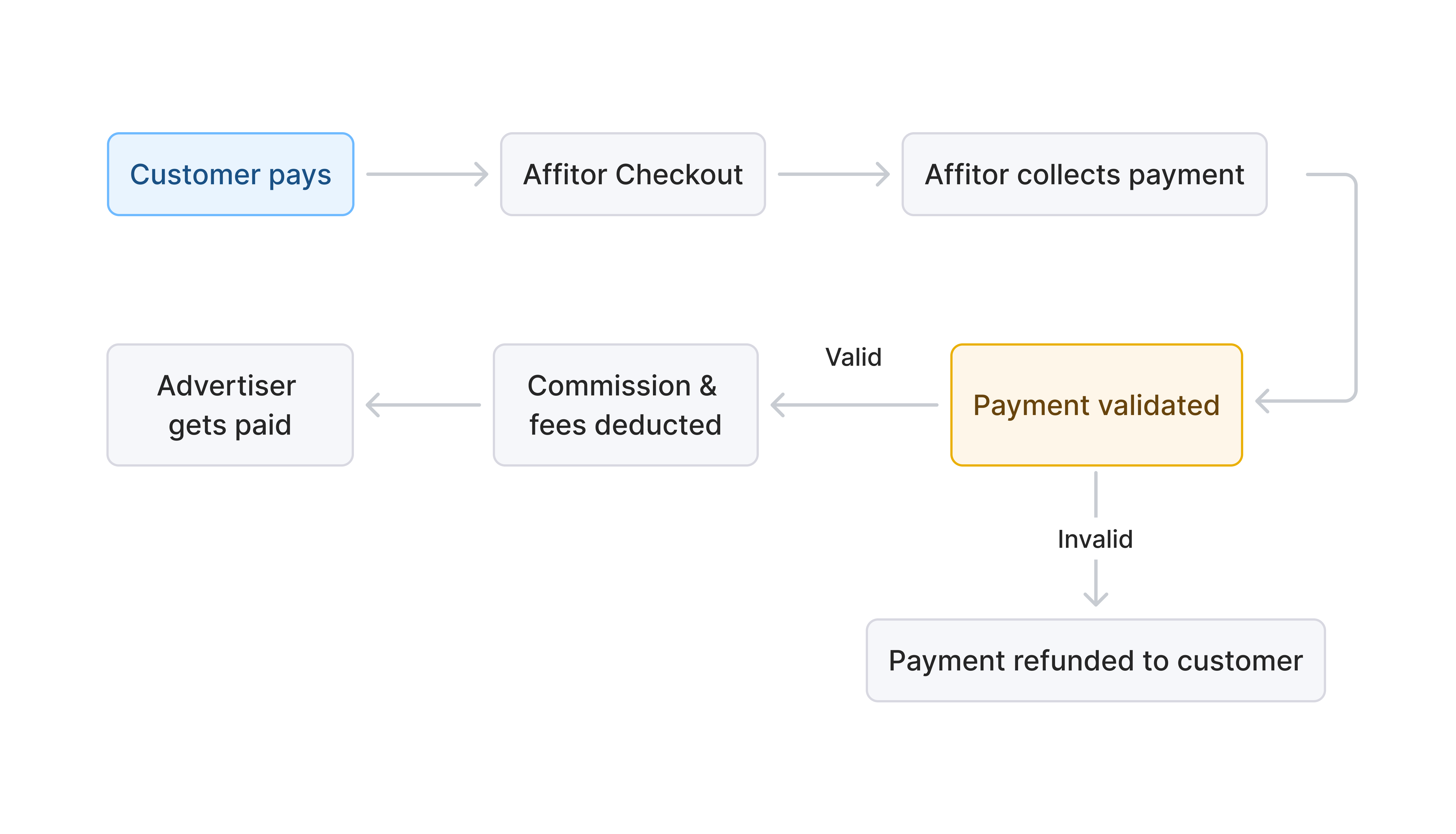
Section titled “Affitor Pay Flow”For advertisers without Stripe. Affitor handles everything.
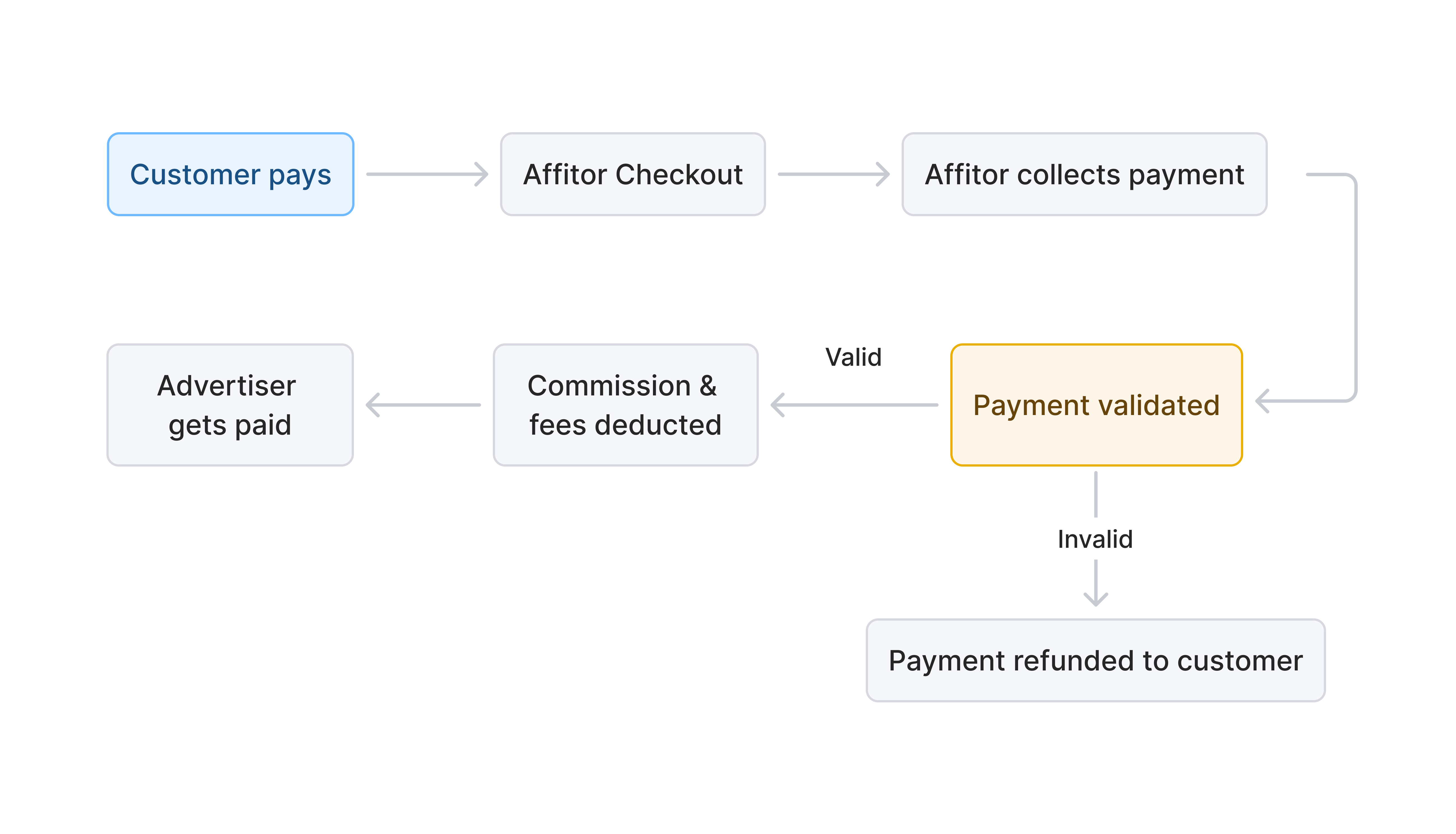 Step by step:
- Customer purchases through Affitor-hosted checkout page
- Affitor collects 100% of payment
- Transaction validated (attribution, no duplicate, within window)
- You review in dashboard (or auto-approve)
- Hold period (7-21 days, configurable)
- If no refund: Affitor deducts commission + platform fee, pays you the rest
- Partner commission moves to Withdrawable balance
Best for: Fast setup, no Stripe account needed.
Bill Flow
Section titled “Bill Flow”You collect everything, Affitor invoices later.
Step by step:
- Customer purchases through your existing checkout
- You receive 100% of payment via your Stripe
- Affitor tracks and validates the transaction
- You review in dashboard and approve
- Affitor sends weekly invoice for: Partner commission + Platform fee (3.5%)
- You pay invoice
- Hold period (7-21 days)
- If no refund: Commission moves to Partner’s Withdrawable balance
- Partner withdraws or keeps balance
Best for: Keep existing checkout flow, pay commission later.
Split Pay Flow (Coming Soon)
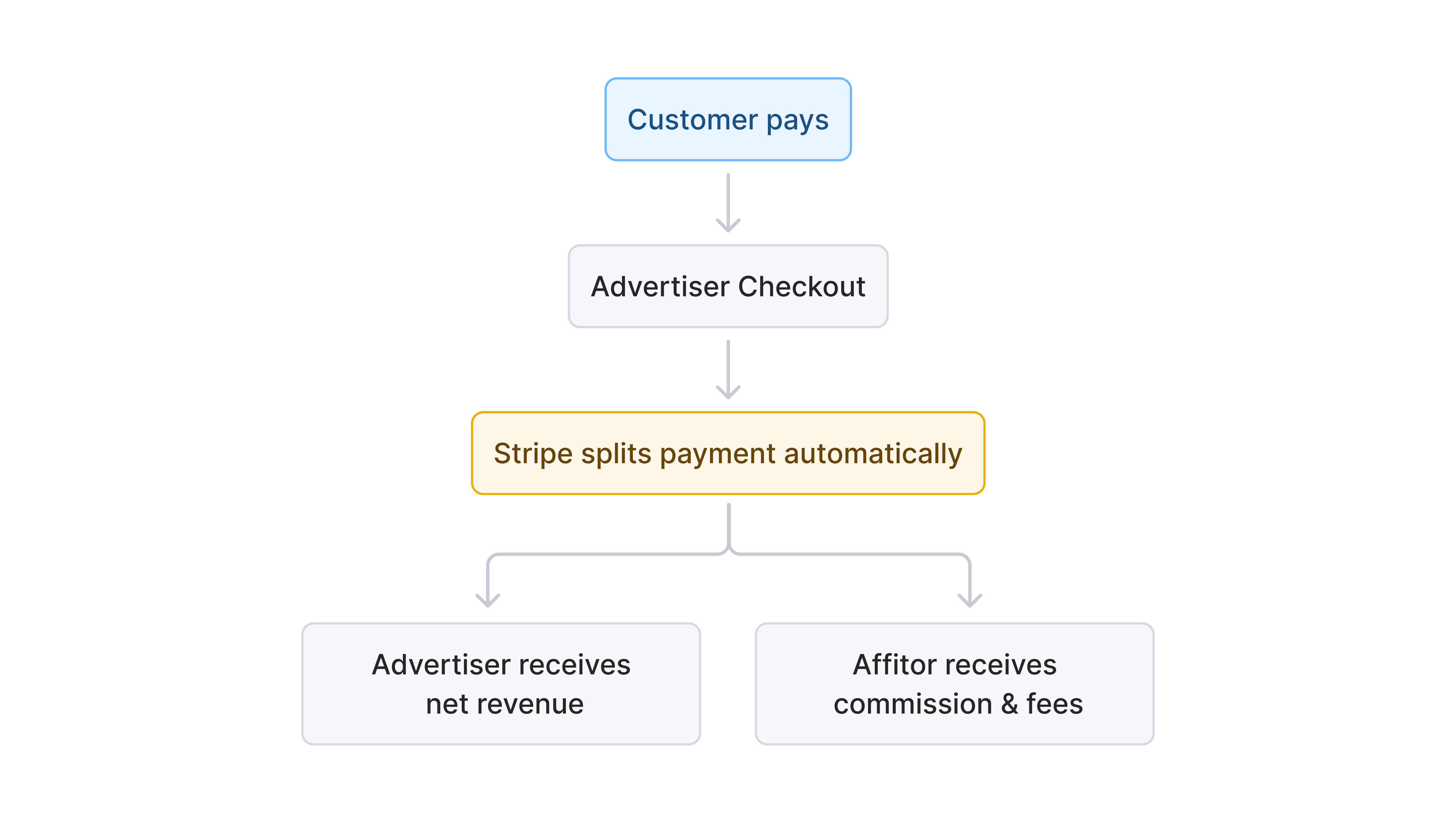
Section titled “Split Pay Flow (Coming Soon)”Funds split instantly at checkout via your Stripe.
Why Split Pay:
- Zero manual work – Funds split automatically, no invoices to manage
- No extra fees – Affitor doesn’t charge for auto-payout
- Real-time accuracy – No reconciliation or manual calculations
- Instant partner visibility – Partners see earnings immediately
- Cash flow clarity – You always know your net revenue upfront
Transaction Validation
Section titled “Transaction Validation”Every transaction is validated before commission is calculated:
| Check | What Affitor verifies |
|---|---|
| Valid attribution | Affiliate link was used |
| No duplicate | Customer not already attributed to another partner |
| Within attribution window | Purchase within 60 days of click |
| Matching amount | Payment matches expected value |
If validation fails, the transaction is flagged for your review.
Approval Process
Section titled “Approval Process”You control which transactions become payable commissions.
Auto-Approve
Section titled “Auto-Approve”Transactions approved automatically after validation passes.
- Faster processing
- Less manual work
- Best for: High-volume, low-risk products
Manual Review
Section titled “Manual Review”You review each transaction before approval.
- Full control
- Catch issues early
- Best for: High-ticket items, new programs
From your dashboard:
- Go to Transactions
- Review pending items
- Click Approve or Reject
Rejection Reasons
Section titled “Rejection Reasons”- Customer requested refund
- Fraudulent activity detected
- Partner policy violation
- Invalid or test transaction
Rejected transactions don’t generate commission.
Hold Period
Section titled “Hold Period”Commissions are held before becoming withdrawable to protect against refunds.
| Hold Period | Use case |
|---|---|
| 7 days | Low-risk products, established partners |
| 14 days | Standard SaaS subscriptions |
| 21 days | High-ticket items, refund-prone products |
During hold period:
- Commission shows as “Pending” in partner dashboard
- Customer refund → Commission cancelled automatically
- No refund → Commission moves to “Withdrawable”
Partner Payouts
Section titled “Partner Payouts”Once commission clears hold period:
- Commission becomes Withdrawable in partner’s Affitor balance
- Partner chooses:
- Withdraw to bank/payment method
- Keep balance in Affitor
Payout frequency: Bi-weekly (every 2 weeks)
Affitor handles all partner payouts. You don’t manage individual transfers.
Example: Complete Flow
Section titled “Example: Complete Flow”Setup: 30% commission, Bill Flow, 14-day hold
| Day | Event | Amount |
|---|---|---|
| 0 | Customer clicks affiliate link | — |
| 5 | Customer purchases $100/month subscription | — |
| 5 | You receive $100 via your Stripe | $100 |
| 5 | Transaction appears in your dashboard | — |
| 6 | You approve transaction | — |
| 12 | Affitor sends weekly invoice: $33.50 | — |
| 13 | You pay invoice | -$33.50 |
| 6-20 | Hold period (14 days) | — |
| 20 | Hold ends, no refund | — |
| 20 | $30 commission → Partner’s Withdrawable balance | $30 |
| 28 | Bi-weekly payout: Partner receives $30 | $30 |
Fees Summary
Section titled “Fees Summary”For each affiliate-generated sale, Affitor charges 3.5% platform fee only on affiliate-generated revenue. No monthly fees, no setup costs.
Refund Handling
Section titled “Refund Handling”| When refund happens | What happens to commission |
|---|---|
| During hold period | Commission cancelled automatically |
| After hold period, before payout | Commission reversed from partner balance |
| After payout | Deducted from partner’s next payout |
What’s Next
Section titled “What’s Next”- Payouts – Payout schedules, methods, and minimum thresholds
- View Performance – Monitor transactions and revenue